



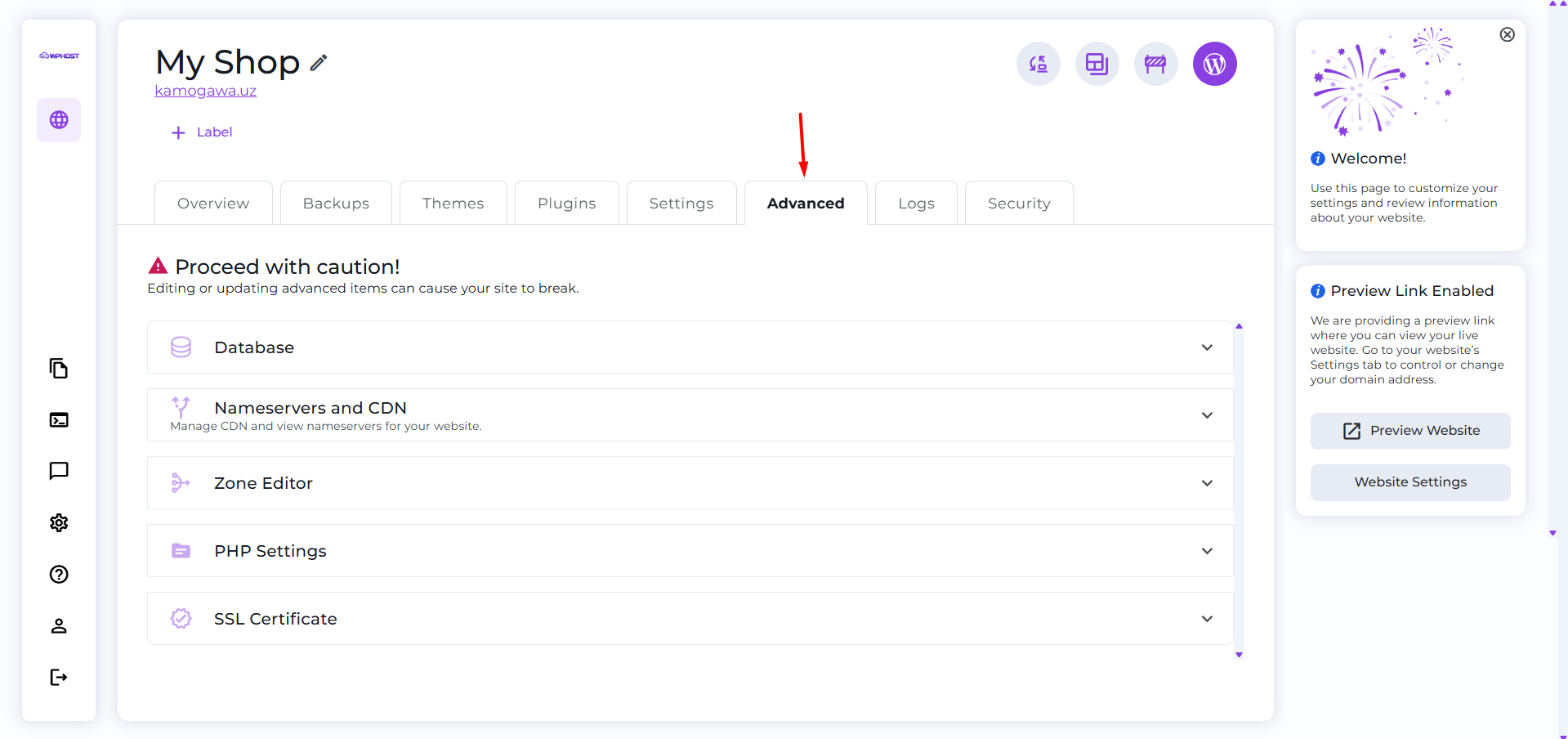
The Advanced section contains additional tools for managing your WordPress website. Here you can view database information, manage DNS records, change the PHP version, configure the CDN, and view SSL certificate details.
Open the Advanced Section
Open the list of websites.

Select the required WordPress website and open the Advanced tab.
View Database Information
The Database section displays information about your WordPress database, including the database name, username, table prefix, and server address.

If necessary, you can open the database in phpMyAdmin by clicking the Open in phpMyAdmin button.
Configure CDN and Nameservers
In the Nameservers and CDN section, you can enable CDN support and view the recommended nameservers for connecting your domain.

Manage DNS Records
The Zone Editor section allows you to manage your domain’s DNS records.

- view existing records;
- create new records;
- edit existing records;
- delete unnecessary records.
Change the PHP Version
The PHP Settings section displays the current PHP version used by your website.

If necessary, you can select another available PHP version or use the Smart PHP Update feature, which checks your website for compatibility before performing the upgrade.
View SSL Certificate Information
The SSL Certificate section displays information about the installed SSL certificate, its issuer, and its expiration date.

If necessary, you can renew the certificate automatically by clicking Run AutoSSL or install a new SSL certificate manually.
You now know where to find the advanced settings for your WordPress website in WP Host. You can return to the Advanced section at any time to modify the required settings.